


Your dashboards,always accurate.
Create dashboards with AI, import from PostHog, Mixpanel, and more. CurlUp keeps them accurate and auto-creates coverage for every new feature.
No credit card required · Get started in 2 minutes
Built by engineers from




480
charts verified this week
<3 min
average time to fix
42 days
without a stale dashboard
What we're trying to solve
Nobody wants to update a dashboard for the 5th time in a week.
Fix Metric Meltdowns Automatically
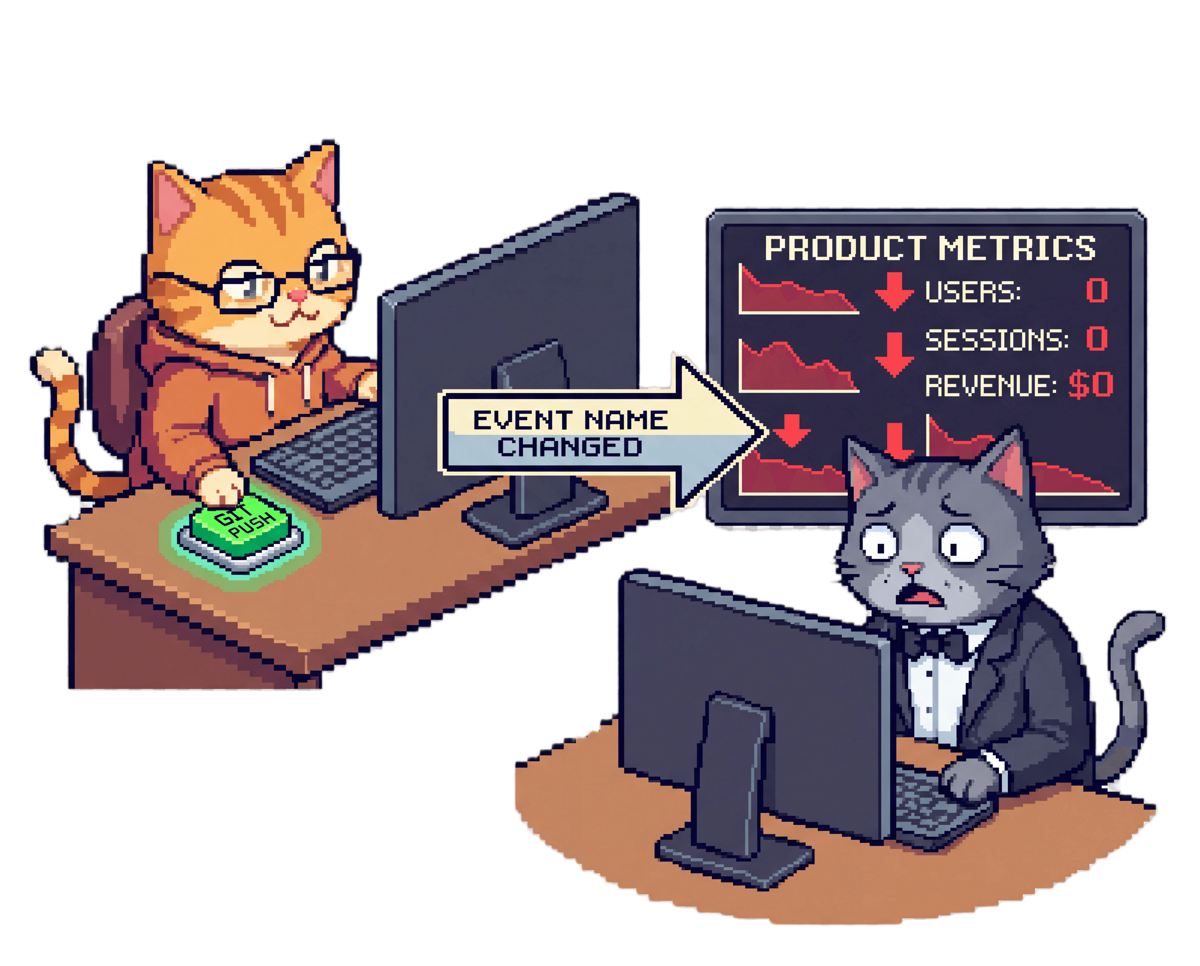
Your dashboards go stale every time you deploy.
A renamed event or property. A new feature or route added. Any one of them can make your dashboard tell an incorrect story. Someone has to notice, figure out what shifted, and fix your reporting. That someone is usually you, weeks later, at a critical meeting.
Before CurlUp
After CurlUp
Get Analytics Coverage Across Every Feature
New feature? You already have a dashboard.
CurlUp detects new features and A/B tests from your code, then suggests dashboards with actionable metrics pulled from growth playbooks. Cohort retention, conversion funnels, feature segmentation. Each new release gets its own view, automatically.
Referral program
feature · Funnel chart
AB test: new checkout
AB test · Cohort table
Premium tier launch
feature · Segmentation
How It Works
From deploy to verified in minutes.
Create or import dashboards
Use AI to build dashboards from scratch, or import your existing ones from PostHog, Mixpanel, and more.

CurlUp keeps your Charts updated
Your dashboards stay in sync whenever the codebase updates. Never worry about a broken chart again.

Gain oversight automatically
Every release, CurlUp creates dashboards for new features and changes.

Capabilities
Four ways CurlUp keeps your analytics honest.
DETECTION
The moment a chart breaks, you know
Production deployments trigger our AI to scan your dashboards. CurlUp spots renamed events, shifted properties, and broken queries and patches them automatically.
feat: add new feature
f8a3c21 · Charts broken
Your user signup chart broke after v2.3 deploy. Fixed the SQL. All 12 dashboards back online.
REPAIR
The fix writes itself
CurlUp updates your charts and dashboards directly through each provider's API. Each change is verified to ensure the AI hasn't drifted from the original chart definition.
PERMISSIONS
Your call, every time
There are 3 different permission modes for CurlUp, to give you ultimate control over how you want to use it:
- Auto: CurlUp fixes the broken charts automatically
- Ask: Proposes the fix. You review, approve, and apply.
- Explain: Logs the issue and sends you a daily health score. Nothing gets touched.
Dashboard health score
94%
12/12 charts verified
HEALTH SCORE
One number, every chart's truth
One score tells you everything. See which charts are healthy, how often CurlUp is keeping them that way, and where you still need coverage.
Integrations
Your analytics stack, always in sync
Import dashboards from your existing stack or create new ones with AI. CurlUp keeps every chart accurate automatically.
LIVE NOW
 PostHogLiveGitHubLive
COMING SOON
 MixpanelComing soon
 AmplitudeComing soon
 MetabaseComing soon
 GitLabComing soon
 GrowthBookComing soon
Pricing
Start free. Stay accurate forever.
Pay for the syncs your dashboards need. Every plan includes AI-powered chart repair and real-time deploy monitoring.
| Plan | Free | Starter | Most PopularGrowth | Pro | Pay as you go |
|---|---|---|---|---|---|
| Dashboard syncs | 100 total | 500 / month | 1,000 / month | 2,500 / month | Unlimited |
| Monthly price | Free | $25.00$20.00/month, billed annually | $40.00$32.00/month, billed annually | $90.00$72.00/month, billed annually | $5.00$5.00minimum top-up |
| Cost per sync? Syncs are included in your subscription. If you exceed your monthly limit, additional syncs are charged at the same rate as Pay as you go. | Free | $0.040 | $0.032 | $0.029 | $0.050 |
| AI chart repair? When code changes break a chart, CurlUp detects the issue and automatically rewrites the query to match your current schema. | |||||
| Auto dashboards? CurlUp automatically creates dashboards for new features and A/B tests, with actionable metrics like cohort retention, conversion funnels, and feature segmentation. | — | ||||
| Permissions? Auto Fully approve each chart change. Ask User reviews each suggested change. Explain No edits. CurlUp only produces a report of affected charts. | Explain | Auto, Ask, Explain | Auto, Ask, Explain | Auto, Ask, Explain | Auto, Ask, Explain |
| Start free | Start with Starter | Start with Growth | Start with Pro | Start free |
Growth
- 1,000 syncs / month
- AI chart repair
- Auto dashboards
- Auto, Ask, Explain modes
- Lowest cost per sync in tier
FAQ
Frequently asked questions.
How does CurlUp detect chart changes?+
CurlUp watches your GitHub repo for releases. When code changes land, it analyzes every connected dashboard for schema mismatches, event renames, and query breakages.
Is CurlUp read-only on my analytics account?+
CurlUp, if given permission, will auto-update charts and create dashboards in your connected analytics tool. If the permission setting is "Ask" or "Explain" the AI will ask for permission before making the change.
What are the permission modes?+
Auto mode fixes and deploys SQL changes automatically. Ask mode creates a PR for your review before merging. Explain mode only sends you a daily health score across every dashboard.
Does CurlUp ever change my analytics data?+
No event data is stored on our servers. CurlUp executes the changed charts to ensure they run, but once verified it deletes its stored data in line with ZDR.
What happens if a fix is wrong?+
Every fix is logged with a diff. In Auto mode, you can revert any change with one click. In Ask mode, the PR shows the exact SQL change before it goes live. Over time CurlUp learns your preferences and adapts based on your feedback.
Can I use CurlUp with self-hosted analytics?+
Yes. Self-hosted instances are fully supported. Connect via the same OAuth flow — just point CurlUp to your instance URL.
Get started in 2 minutes
Ship features.
Stay accurate.
Keep every chart up to date. Focus on shipping, not fixing broken dashboards.
Sign up with GitHubNo credit card required · Cancel anytime